
Guests scan the QR code on the table. They can order more, see their open bill and pay by themselves. QR at the table is a module.
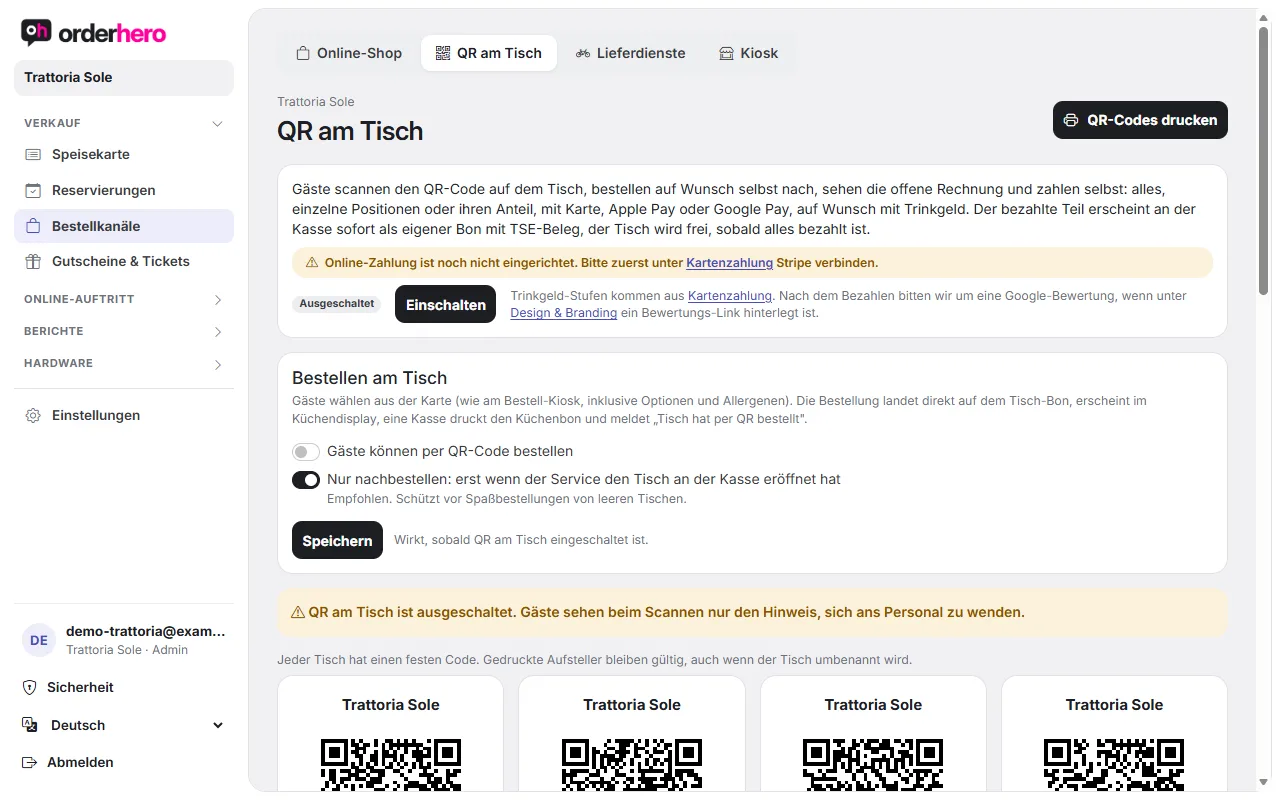
Du richtest es unter Bestellkanäle → QR am Tisch ein.
Requirements
- Tables: Create them in the floor plan (Settings → Floor plan).
- Stripe: Online payment must be set up before guests can pay (Settings → Card payment). Otherwise the message "Online payment is not set up yet" appears and guests pay at the counter.
Print QR codes
- Open ordering channels → QR at the table.
- Tap “Print QR codes”. Each table gets its own code.
- Place the table stands on the tables.
Each table has a fixed code. Printed table stands stay valid even if you rename the table.
Ist die Funktion ausgeschaltet, sehen Gäste beim Scannen nur den Hinweis, sich ans Personal zu wenden.
Order at table
Guests choose from the menu, as at the kiosk, including options and allergens. The order goes straight to the table ticket and appears on the kitchen display. A POS prints the kitchen ticket and shows "Table ordered via QR".
Turn on “Guests can order via QR code” and tap “Save”. With “Reorder only”, orders are only possible once staff have opened the table at the POS. This is recommended and protects against prank orders from empty tables.
Pay at the table
Der Gast sieht die offene Rechnung und wählt, was er bezahlt:
- Everything
- Items: individual items
- Split: their share when several people split
They pay by card, Apple Pay or Google Pay, with a tip if they like. They receive a receipt by email.
The paid portion appears at the POS immediately as its own receipt with a TSE record. The table is freed once everything is paid. If the table was paid at the POS in the meantime, orderhero refunds the guest's payment automatically.
Tips and reviews
The tip levels come from the settings under Card payment. After paying, the page asks for a Google review if you've saved a review link under Design & Branding.
Control
At the bottom of the page, "Recent QR payments" lists time, table, type, amount, tip and status (Paid, Processing, Refunded, Canceled).