
You can sell gift cards and event tickets online and at the POS. Vouchers & Tickets is a module. Without the module, only "Event tickets" is available.
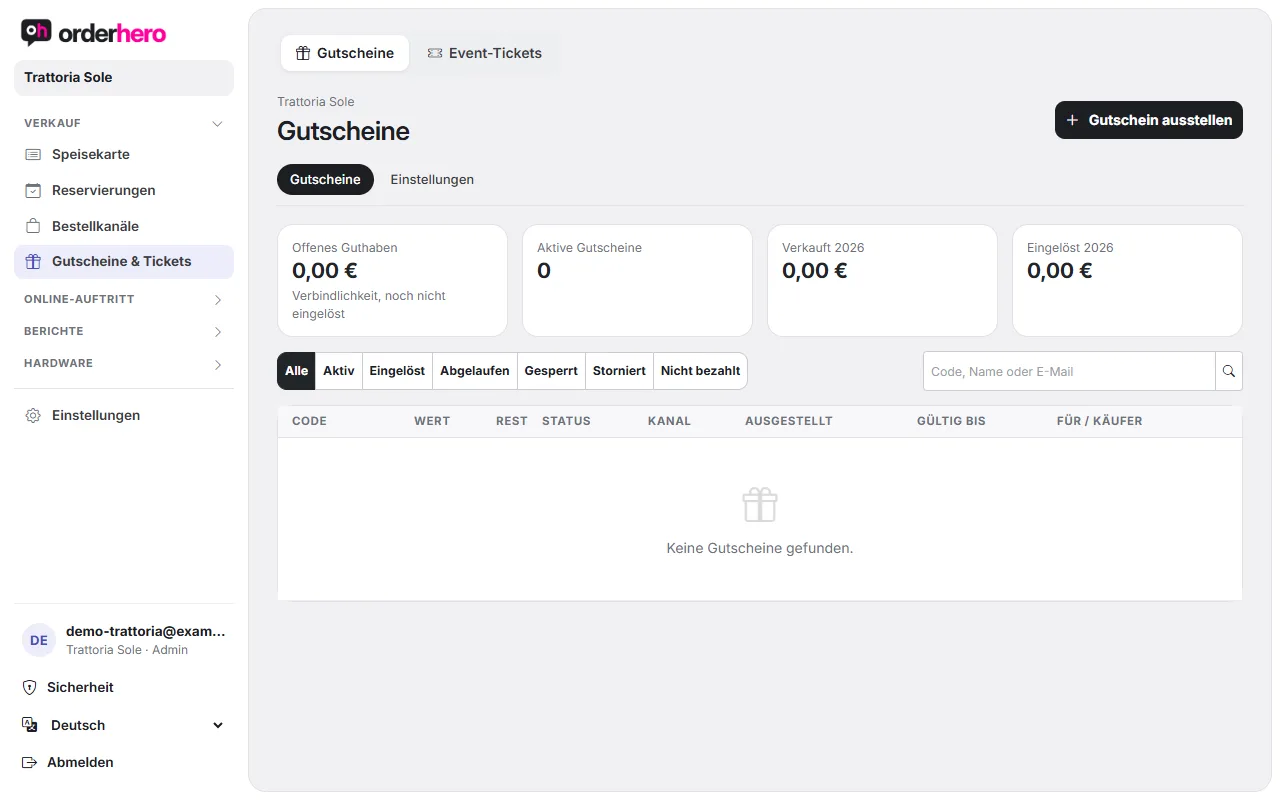
You'll find both under Vouchers & Tickets in the navigation.
Vouchers
Online verkaufen
- Open Vouchers → Settings.
- Turn on “Sell vouchers online”. Stripe must be set up for this (Settings → Card payment).
- Lege Festbeträge fest (zum Beispiel 25; 50; 100) und optional einen freien Betrag von … bis ….
- Tap “Save”.
At the top you see the page for guests. Link to it on your website or embed it with the code shown. After payment, the guest instantly gets the voucher as a PDF by email. You design the card with a logo, background image and color. Use “View sample” to check the result.
Issue yourself
Tap “Issue voucher”, enter the value, and choose the payment: “Paid (bank transfer or outside the POS)” or “Free (promotion, goodwill, giveaway)”. Optionally, enter “For” and an email address. The PDF is sent right away. Please book cash sales at the POS.
At the POS
- Sell: Actions → “Sell voucher”.
- Check: Actions → "Check voucher".
- Einlösen: Beim Bezahlen „Gutschein einlösen“ wählen (Code tippen oder QR scannen). Ein Teilbetrag ist möglich.
Administration
Die Liste zeigt Code, Wert, Rest, Status, Kanal, Ausstellungsdatum, Gültigkeit und Käufer. Mit den Filtern Aktiv, Eingelöst, Abgelaufen, Gesperrt, Storniert und Nicht bezahlt findest du schnell, was du suchst. Oben stehen offenes Guthaben, aktive Gutscheine sowie Verkäufe und Einlösungen des Jahres. Du kannst Gutscheine sperren, stornieren und per E-Mail erneut senden. Beim Stornieren eines Online-Gutscheins wird der Betrag über Stripe erstattet. Bei einem Kassen-Verkauf entsteht ein TSE-Gegenbeleg und das Geld gibst du an der Kasse zurück.
Steuer
Wertgutscheine sind Mehrzweckgutscheine: beim Verkauf keine Umsatzsteuer, die Steuer entsteht beim Einlösen mit dem Kassenbon. Sie gelten drei Jahre zum Jahresende. Die Konten pflegst du unter Einstellungen → Buchhaltung (DATEV).
Event tickets
- Create the event under Reservations → Availability → Events & special days.
- Open Event tickets. Select the event and turn on ticket sales ("Sell tickets online").
- Enter the price tiers (price per person in €) and tap “Save”. You set a limit in the event under Availability.
Der Ticketpreis ist eine Anzahlung je Person. Sie wird mit der Rechnung am Abend verrechnet. Bei rechtzeitiger Stornierung wird sie erstattet.
Admission
- In the "Entry" area, you scan tickets with the camera. One scan checks in everyone on the ticket. Tickets for a different day are only accepted after confirmation.
- At the POS: Actions → “Check in ticket”.
- "Undo check-in" reverses a check-in.
Website und Gestaltung
There is one ticket page with all events and a separate page for each event, each with an embed code. Under “Ticket design” you set the header, note, logo, color and image.