
Bestellungen von Wolt, Uber Eats und Lieferando kommen direkt in deine Kasse, auf den Küchenbon und aufs Küchendisplay. Du verwaltest die Anbindungen unter Bestellkanäle → Lieferdienste.
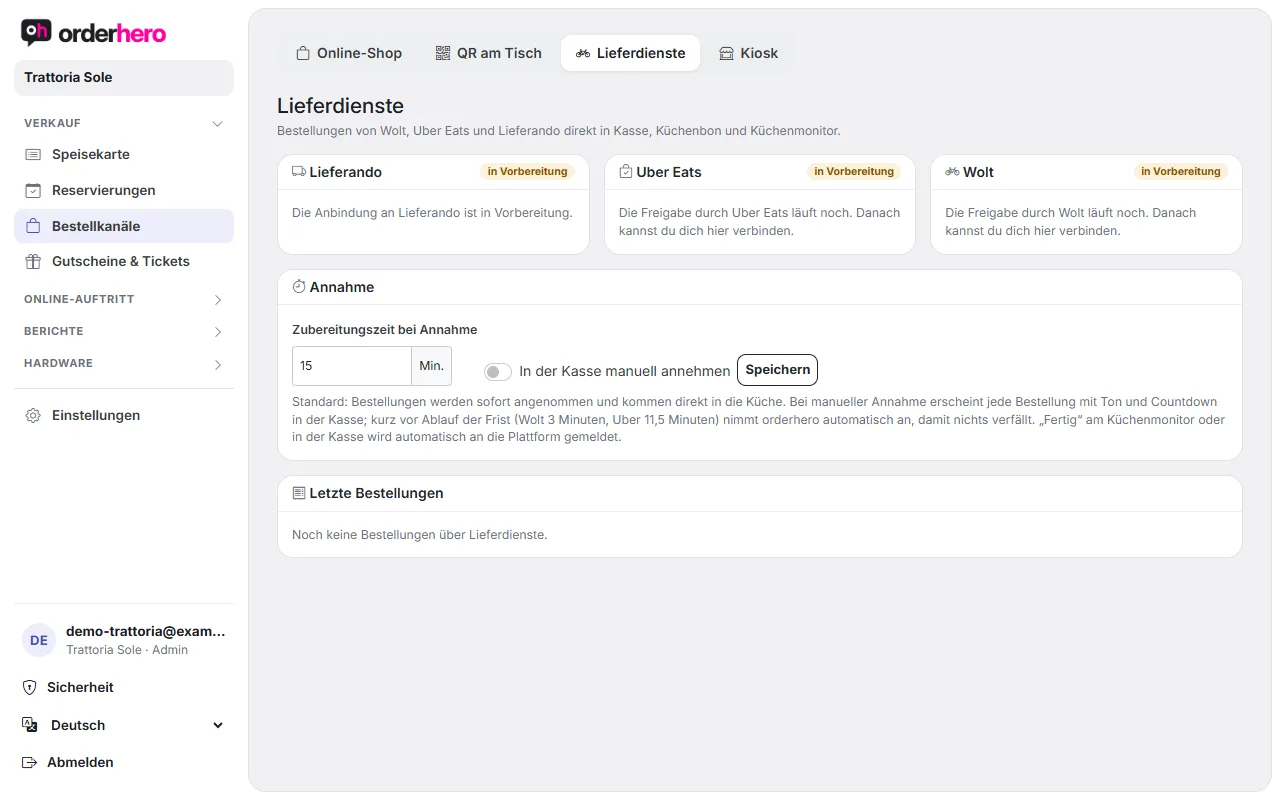
Status der Anbindungen
Jeder Dienst hat eine Karte mit einem Status:
- connected: The connection is working. You see the venue or store and today's number of orders.
- Not connected: The connection is possible but hasn't been set up yet.
- In preparation: Approval by the service is still pending. The Lieferando integration is still in preparation. Once approval is granted, you can connect here.
Connect
- Tippe bei einem Dienst mit dem Status „nicht verbunden“ auf „Mit … verbinden“.
- Log in to the respective service with your restaurant's account and authorize orderhero.
- Uber Eats: If several stores belong to your account, the question “Which Uber Eats store belongs to …?” appears. Choose the right store.
- Wolt: Richtet Wolt die Verbindung für dich ein, nenne als Partner-Venue-ID die Nummer, die auf der Karte angezeigt wird.
Mit „Neu verbinden“ stellst du eine bestehende Verbindung neu her.
Transfer menu
For a connected integration, tap "Transfer menu". Prices, options and availability come from your orderhero menu. Wolt allows at most one transfer every 15 minutes.
You control which items go to the delivery services on the item under “Offer in” → “Delivery services”. Happy hour prices don't apply on delivery platforms, where the regular price stays.
Acceptance
Im Bereich „Annahme“ stellst du ein:
- Preparation time on acceptance in minutes (between 5 and 120).
- Accept manually at the POS: By default, orders are accepted immediately and go straight to the kitchen. With manual acceptance, each order appears at the POS with a sound and countdown. Shortly before the deadline (Wolt 3 minutes, Uber 11.5 minutes), orderhero accepts automatically so nothing expires.
Tap “Save” to apply the setting.
Mark order as ready
“Done” on the kitchen display or in the POS is reported to the platform automatically.
Recent orders
Unten listet die Seite die letzten Bestellungen über Lieferdienste mit Nummer, Dienst, Eingang, Gast, Art, Summe und Status.