
Fällt das Internet aus, kassiert die Kasse weiter. Abgeschlossene Vorgänge werden auf dem Gerät gespeichert und nachgereicht, sobald der Server wieder erreichbar ist.
Woran erkenne ich es?
In the POS app, the status icon shows:
- Cloud with a line through it (red): Offline. Under Network it says “Offline”, noting that receipts are kept locally.
- Arrows (orange): Some transactions are still waiting to be transmitted.
- Checkmark (green): Everything is in sync.
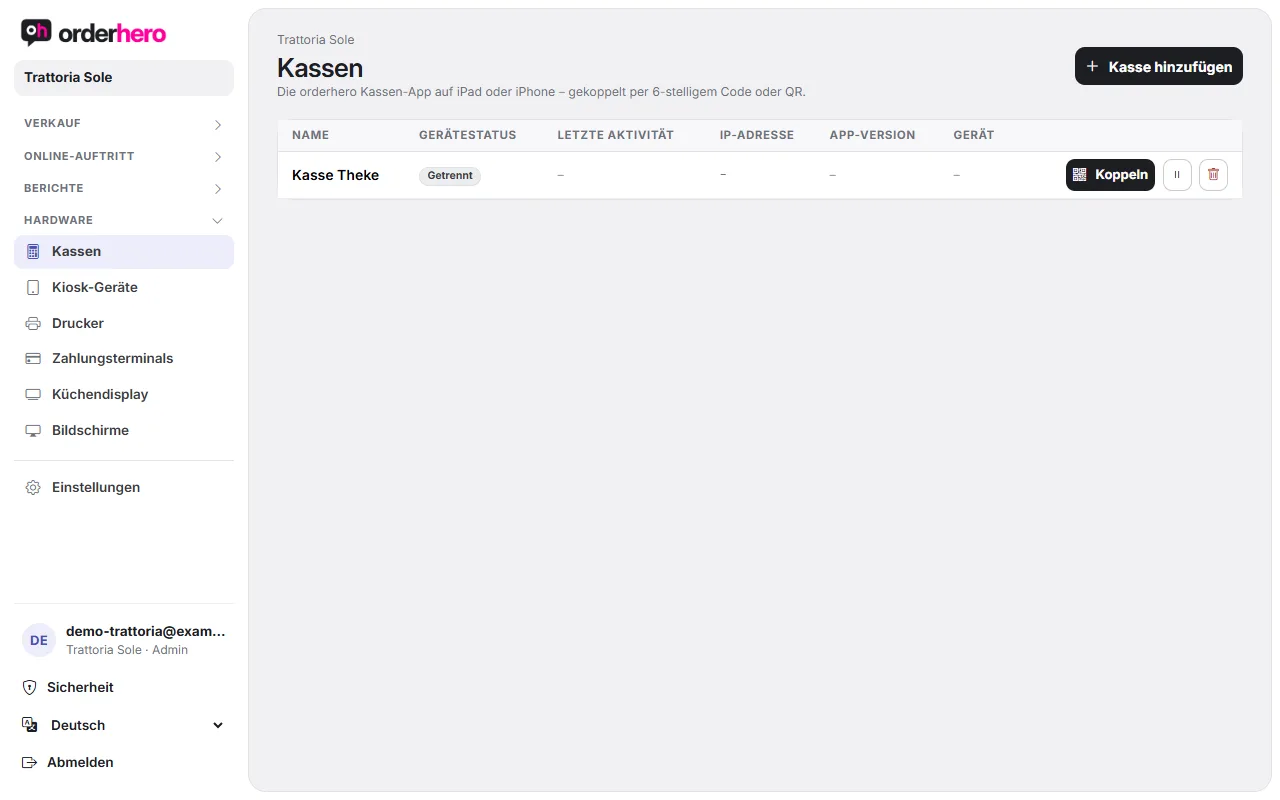
In the dashboard, the POS shows as "Disconnected" under Hardware → POS devices if it hasn't reported in for more than 10 minutes.
What still works
- Log in with PIN. The POS uses the most recently loaded user data.
- Tischplan aus dem zuletzt geladenen Stand, mit der Belegung aus den lokalen Bons.
- Order and take payment, especially cash. After payment, the POS shows “Paid offline”. Booking and TSE signature are submitted automatically once the POS is back online.
What doesn't work offline
- Card payment: Cards only work online. The app shows “Card payment not possible. No connection to the server. Card payments only work online, please take cash or try again later.”
- Schicht schließen: Dafür braucht die Kasse die Verbindung zum Server.
- Stornieren oder verschieben von Positionen, die offline gebucht wurden. Der Server kennt sie noch nicht. Warte, bis die Kasse wieder online ist.
- New menu, prices and discounts only reach the POS once it's online again.
Was du jetzt tun solltest
- Check your Wi-Fi and router. Restart the router if needed.
- Open a website on the device to test the connection.
- Warte, bis das Symbol grün ist, bevor du die Schicht schließt.
- Don't disconnect the device and don't uninstall the app while transactions are still waiting to be transferred. They are stored only on this device.
When the connection is up but the POS stays disconnected
- Öffne das Backoffice (Mehr → Backoffice) und tippe auf „Jetzt aktualisieren“.
- Starte die App neu.
- Erscheint weiterhin „Getrennt“, prüfe im Dashboard, ob die Kasse unter Hardware → Kassen aktiviert ist. Eine deaktivierte Kasse steht dort auf „Deaktiviert“.
Also at the kiosk
Auch der Self-Order-Kiosk sichert bezahlte Bestellungen lokal und überträgt sie, sobald die Verbindung wieder steht.