
Die Kasse meldet „TSE ausgefallen“, wenn ein Beleg nicht signiert werden konnte. Der Beleg ist dann trotzdem gebucht. Der Ausfall wird protokolliert und der Bon trägt einen Ausfall-Vermerk.
What the POS reports
After payment, a red message appears: "TSE failed. Receipt … was booked without a TSE signature. The failure has been logged; the receipt carries the failure note." The same applies to voucher sales and reversal receipts for voids.
This is not an outage
- Testbetrieb: In der Testphase signiert die Kasse nicht. Das ist gewollt, die Belege sind Testbelege.
- POS offline: If the POS has no internet, it shows "Paid offline". Booking and TSE signature are sent automatically as soon as the POS is back online.
How to proceed
- Keep ringing up sales. Receipts are booked and remain traceable.
- Internet prüfen. Die Cloud-TSE braucht eine Verbindung. Siehe auch „Kasse ist offline“.
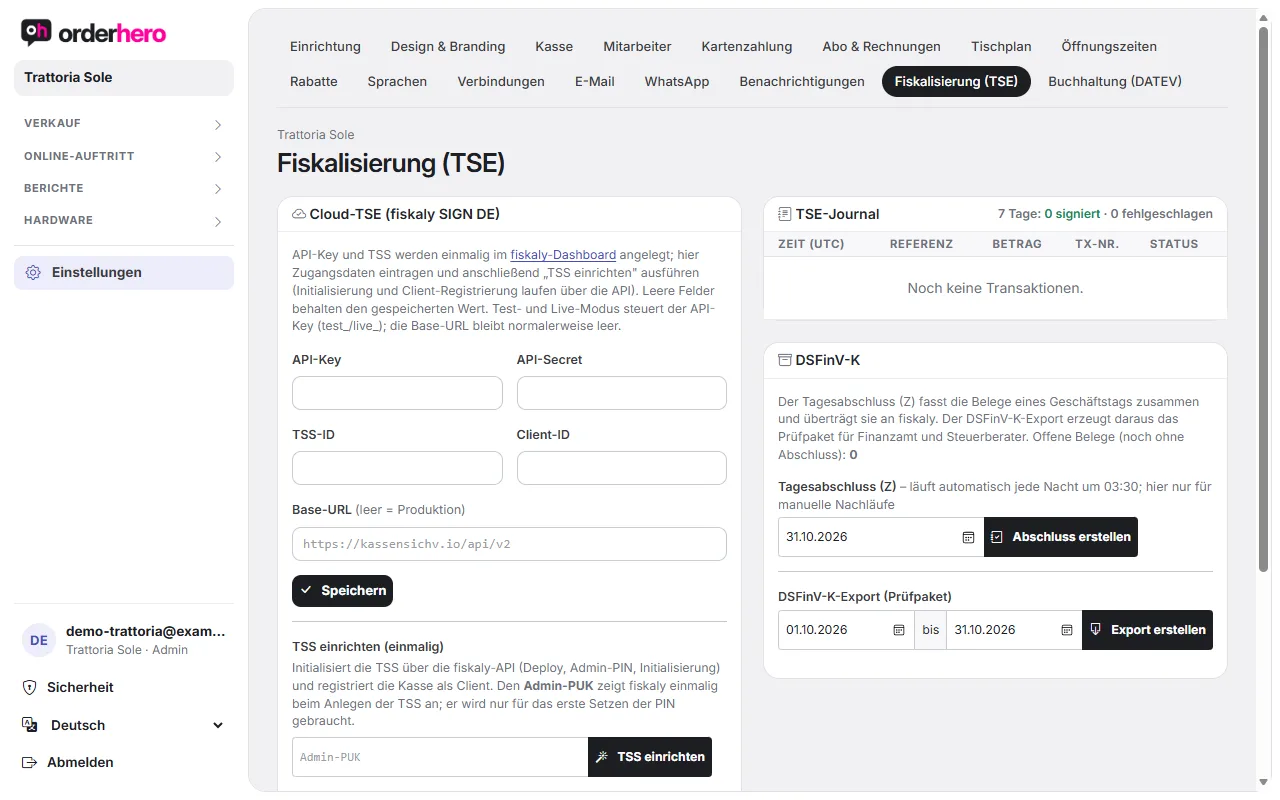
- Check the status in the dashboard. Open Settings → Fiscalization (TSE):
- Tap "Test connection" and then "Test signature".
- In the TSE journal you can see, for the last 7 days, how many transactions were signed and how many failed. The table below shows time, reference, amount, TX no. and status.
- Support informieren. Schreib an service@orderhero.net, wenn der Test fehlschlägt oder die Zahl der fehlgeschlagenen Transaktionen steigt. Nenne Datum, Uhrzeit und die Belegnummer aus der Meldung.
- Dokumentiere den Ausfall. Er steht im Fiskal-Journal. Bei Fragen zur steuerlichen Behandlung hilft dein Steuerbüro.
Was bei der Prüfung passiert
Failed signatures are documented in the journal as "failed" and are included in the daily closing and the DSFinV-K export. This makes the outage traceable for a tax audit.
Tipp
Regularly check the compliance checklist and the TSE journal under Settings → Fiscalization (TSE). That way a problem gets noticed before guests have to wait.