
If a card payment fails, the POS shows a red screen with a message. The card is not charged.
"Card payment not possible"
- „Keine Verbindung zum Server. Kartenzahlungen gehen nur online …“: Die Kasse hat kein Internet. Kassiere bar oder versuche es nach der Wiederherstellung der Verbindung erneut. Siehe „Kasse ist offline“.
- „Das Kartenlesegerät ist nicht bereit“: Das Lesegerät ist aus, nicht verbunden oder gerade beschäftigt. Starte es neu, prüfe das WLAN und versuche es erneut.
- "Payment could not be created": Check the Stripe account (see below).
„Karte nicht belastet“
Die Meldung nennt den Grund, zum Beispiel „Zahlung abgelehnt“ oder „Keine Internetverbindung. Kartenzahlungen gehen nur online.“ Der Gast kann eine andere Karte nutzen, oder du kassierst bar.
Terminal busy
Multiple POS terminals can share one Stripe reader. If it's busy with another payment, the second POS gets "Terminal busy" or waits until it's free.
Check setup
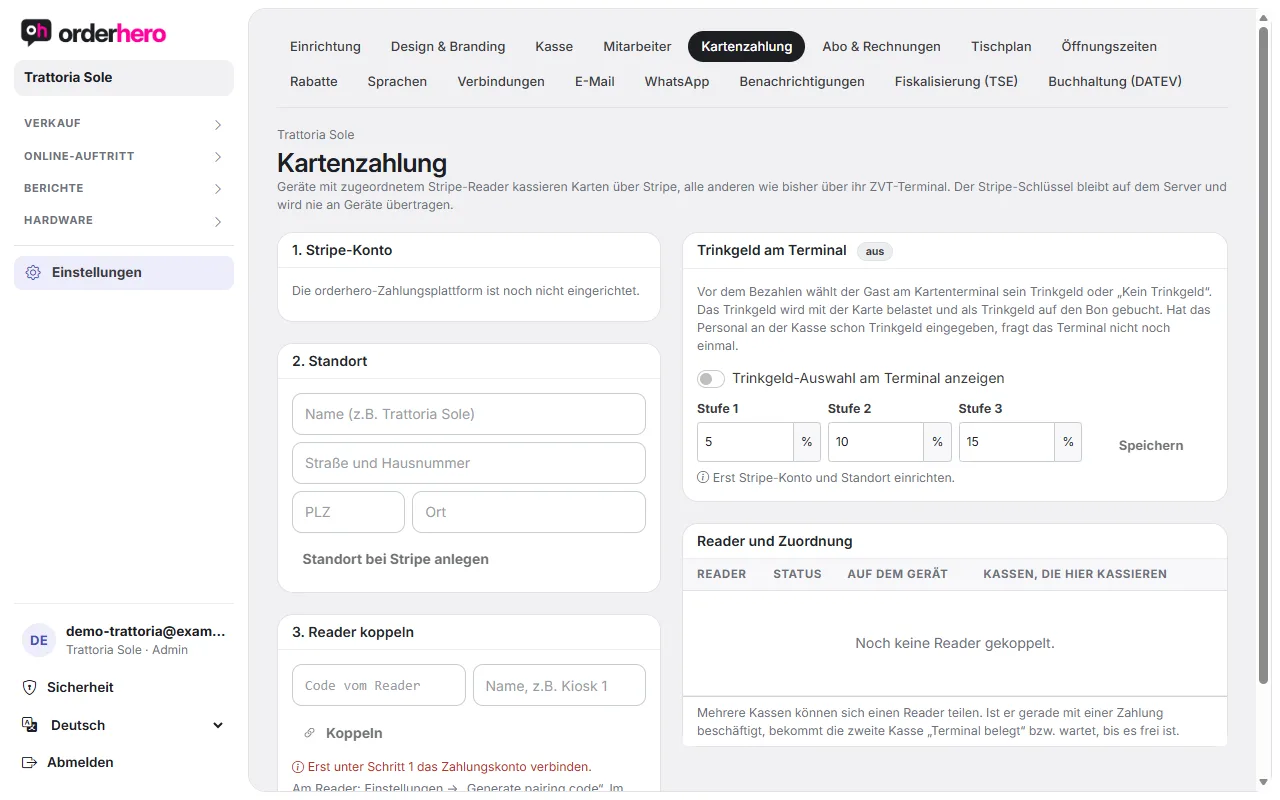
In the dashboard, open Settings → Card payment:
- Stripe account: It must show "Payments enabled". If it says "Verification pending", tap "Continue verification" and complete the details with Stripe.
- Location: The location must be created.
- Reader: It must show the status “online” in the “Reader and assignment” table. If it's offline, restart it and check the Wi-Fi.
- Assignment: The POS must be assigned to the reader (tick under "POS devices that take payments here"). On an S700/S710, "Payment terminal only" must be selected. On "orderhero POS", the device takes payments itself.
- Testmodus: Im Testmodus bzw. Testbetrieb (Testphase) werden Zahlungen nur simuliert.
No card terminal connected?
If a POS has no reader and no ZVT terminal, it records card payments only as confirmed by staff. The POS then warns: "No card terminal connected: The payment was not verified. Please check on the card terminal that it was successful." Assign a reader so payments are verified.
ZVT terminal
If a ZVT terminal can't be reached ("Terminal not reachable"), check the IP address, port and password under Hardware → Payment terminals. The terminal must be on the same network.
Bezahlt, aber nicht gebucht?
Wurde die Karte belastet, aber der Bon nicht gebucht, erstattet orderhero automatisch. Prüfe in Berichte → Zahlungen, ob die Zahlung dort steht. Mit „Erstatten“ gibst du sie bei Bedarf ganz oder teilweise zurück.
Get help
Write to service@orderhero.net and include the time, amount and the message from the POS.