
Beim Koppeln der Kassen-App erscheint eine Fehlermeldung zum Code. Hier siehst du, was sie bedeutet.
"Code invalid or expired"
The full message reads: “Code invalid or expired. Generate a new code in the dashboard under Devices.” Possible causes:
- Expired: A code is only valid for 15 minutes.
- Schon benutzt: Ein Code funktioniert nur einmal.
- Replaced: You generated a new code for the same POS. Only the newest one is valid.
- Transposed digits: Check every digit.
- Kasse deaktiviert: Eine deaktivierte Kasse lässt sich nicht koppeln. Aktiviere sie mit dem Play-Symbol in Hardware → Kassen.
- Wrong POS: The code belongs to a different device or business.
How to generate a new code
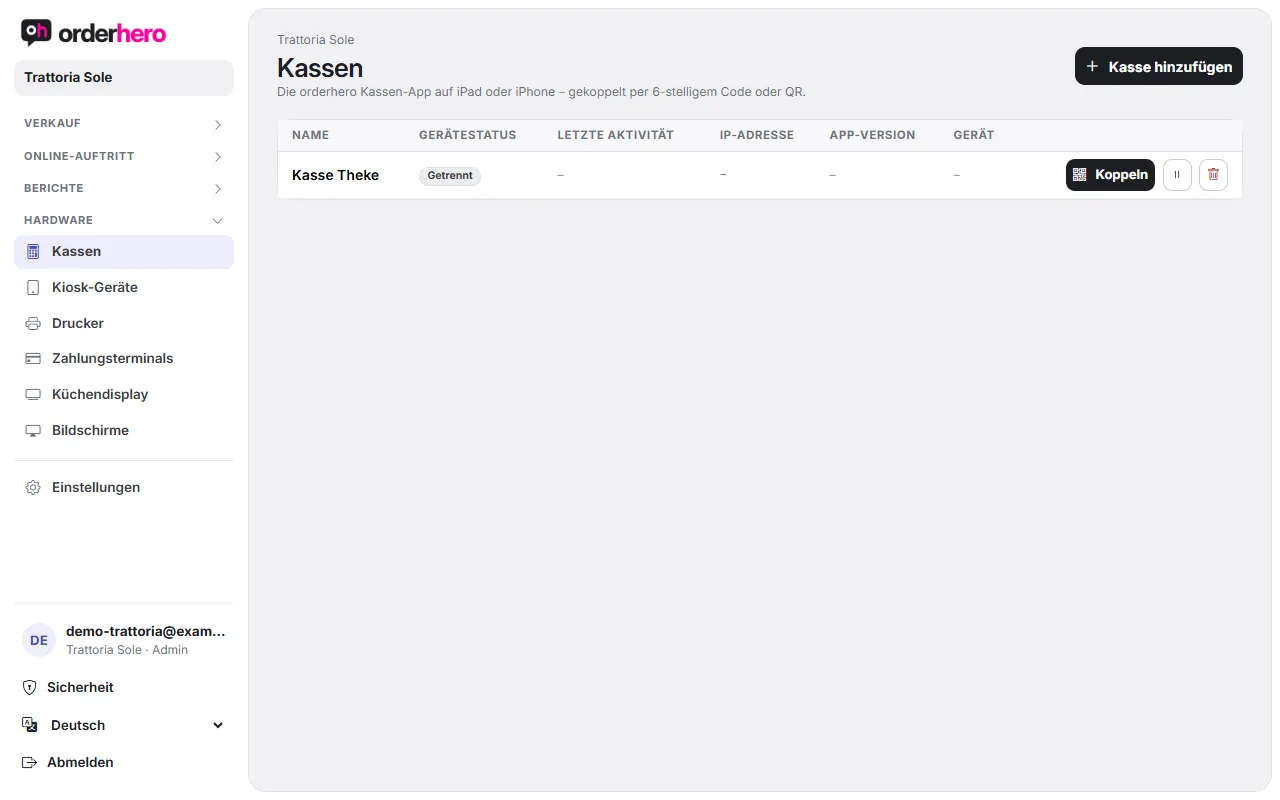
- Öffne im Dashboard Hardware → Kassen.
- Tap “Pair” in the register's row.
- Enter the new code in the app and tap "Connect". Or scan the QR code with "Scan QR code".
For a Stripe reader with the orderhero app, generate the code under Hardware → Payment terminals or Settings → Card payment via "Pair" in the reader's row. This is a different code from the "Generate pairing code" on the reader itself.
More messages
- „Bitte den 6-stelligen Code eingeben“ oder „Kopplungscode muss 6 Ziffern haben“: Der Code besteht nur aus genau 6 Ziffern, ohne Leerzeichen oder Buchstaben.
- „Zu viele falsche Codes. Bitte in 15 Minuten erneut versuchen.“: Von einer Internetadresse sind höchstens 10 falsche Codes in 15 Minuten erlaubt. Warte 15 Minuten und gib dann den richtigen Code ein.
- Keine Verbindung / Verbindungsfehler: Das Gerät braucht Internet. Prüfe WLAN oder Mobilfunk und versuche es erneut.
Still having problems?
- Check under Hardware → POS terminals whether the POS has been created and is active.
- Auf dem Kopplungsbildschirm gibt es unter „Erweitert“ die Verbindung mit Server-URL und Geräte-API-Key als Alternative.
- Write to service@orderhero.net.