
Du kannst orderhero kostenlos testen, ohne Zahlungsdaten zu hinterlegen. In der Testphase sind alle Funktionen freigeschaltet.
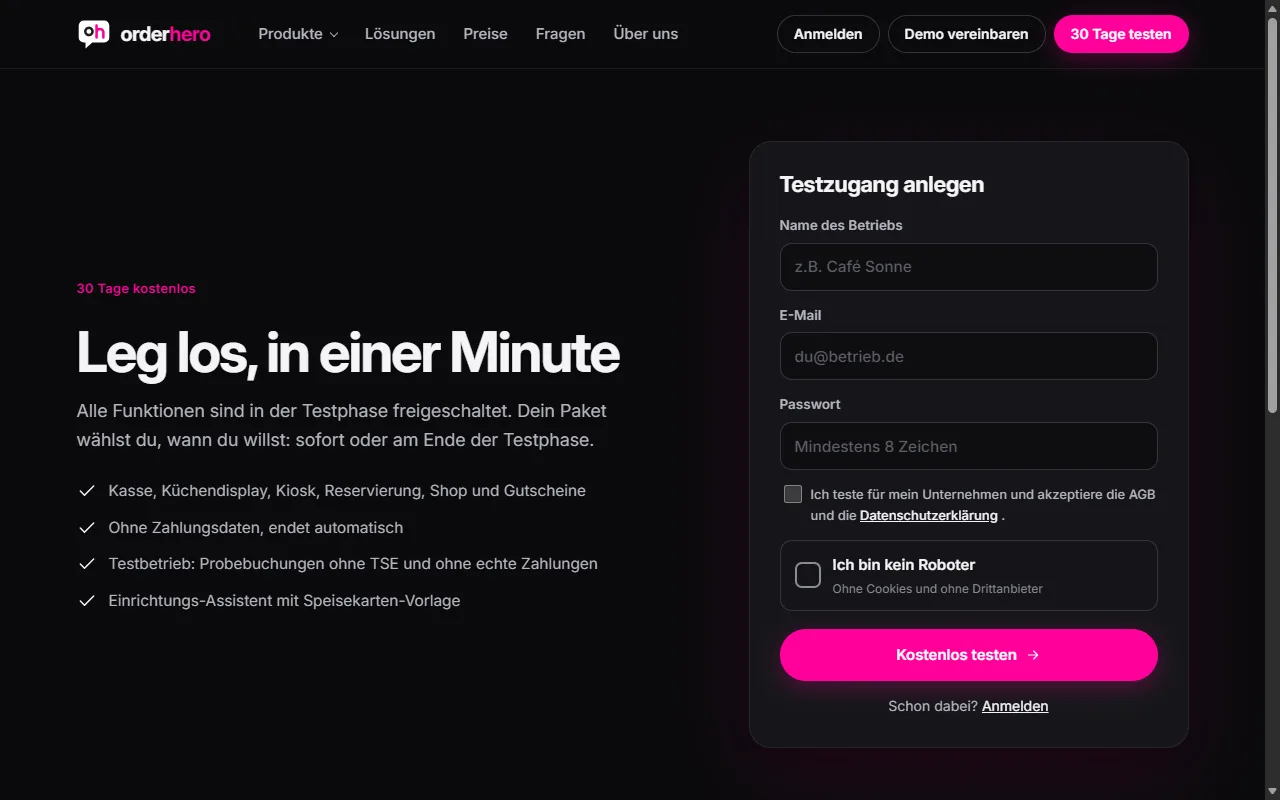
Create account
- Open the "Try for free" page on orderhero.net (address /registrieren). Alternatively, tap "Try for free" in the POS app.
- Enter your business name, your email address and a password.
- Setze das Häkchen bei den AGB und der Datenschutzerklärung.
- Tap “Try for free”.
After that, you'll land directly in the setup wizard. To find out what comes next, read the article “Setup wizard and checklist to go live”.
What applies during the trial
- POS, kitchen display, kiosk, reservations, shop and vouchers are enabled.
- The trial usually lasts 30 days. The exact end date is in the dashboard under Settings → Subscription & invoices.
- There are no costs. Without a plan, the trial ends automatically.
Test mode: What you need to know
In test mode, only test bookings are possible:
- Receipts are not TSE-signed and not valid for tax purposes.
- Kartenzahlungen werden nur simuliert.
- Kartenleser und TSE gibt es mit dem Start des Abos.
Echte Umsätze solltest du daher erst buchen, wenn der Livebetrieb freigeschaltet ist. Das passiert, sobald Paket und TSE eingerichtet sind.
Choose plan
You can choose a plan at any time under Settings → Subscription & invoices. The remaining trial days stay free. Learn more in the article “Subscription, plans and modules”.
What happens after expiry
If the trial ends and you haven't chosen a plan, the features are turned off. Your data is kept. As soon as you choose a plan, the features you booked are available again immediately.