
Die Kassen-App „orderhero“ verbindest du mit einem sechsstelligen Code oder per QR-Code mit deinem Betrieb. Das geht auf iPad, iPhone und Android-Geräten.
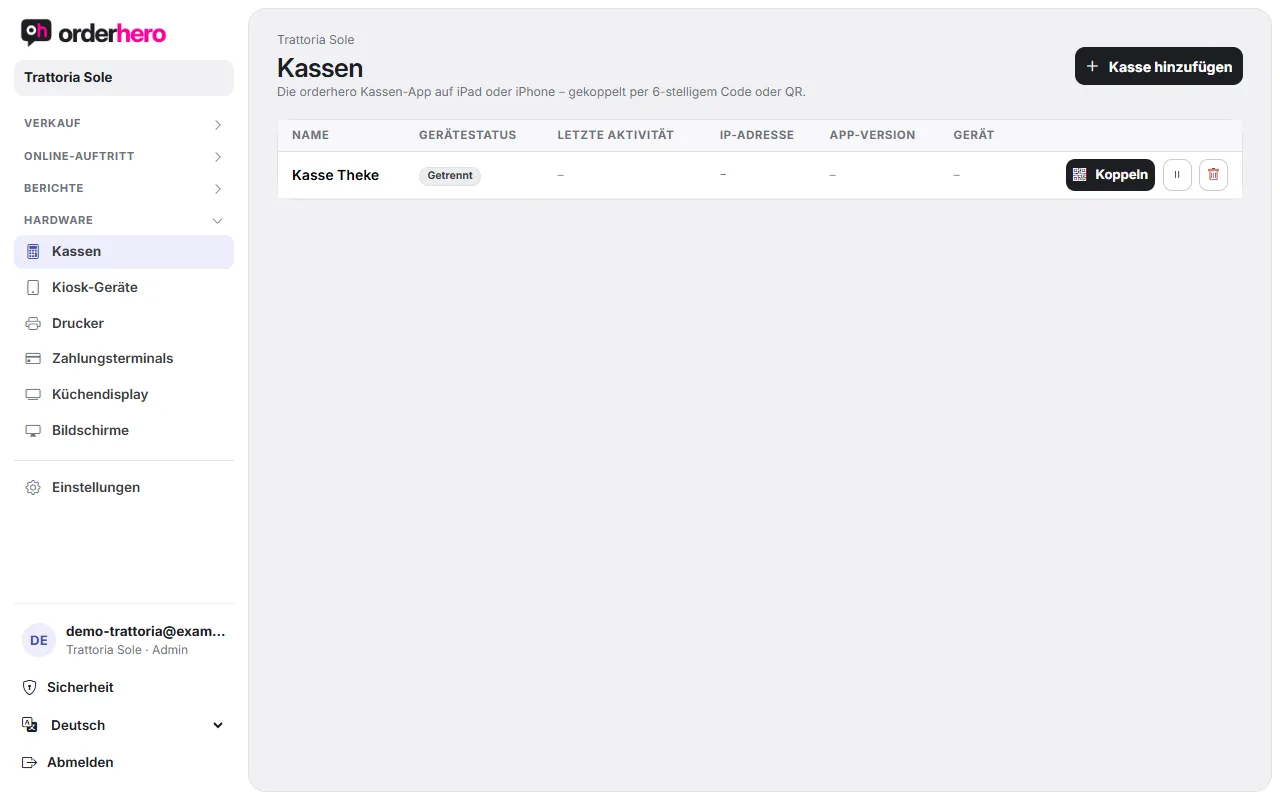
Generate code
- Öffne im Dashboard Hardware → Kassen.
- Tap "Add POS", enter a name (for example "Bar POS") and confirm.
- Der Kopplungscode erscheint sofort. Bei einer schon vorhandenen Kasse tippst du in deren Zeile auf „Koppeln“.
Der Code ist 15 Minuten gültig und lässt sich nur einmal verwenden.
Enter code in the app
- Installiere die App „orderhero“ auf dem Gerät und öffne sie.
- Gib den sechsstelligen Code ein und tippe auf „Verbinden“. Oder tippe auf „QR-Code scannen“ und scanne den QR-Code aus dem Dashboard.
- The app says "Connected" and shows the name of the POS. Then the lock screen with your staff appears.
Status in the POS list
Under Hardware → POS you can see the following for each device:
- Connected: The device was active within the last 10 minutes.
- Disconnected: The device is currently not responding.
- Deaktiviert: Du hast die Kasse mit dem Pause-Symbol deaktiviert. Mit dem Play-Symbol aktivierst du sie wieder.
It also shows last activity, IP address, app version and device model. The trash icon deletes the device.
More options
- Reception: If reservations are enabled, you can select the mode "Reception (reservations only)" for a POS device. The tablet then shows only reservations, floor plan and timeline.
- Disconnect device: In the app under More → "Disconnect device". If users have been set up, first select a manager and enter their PIN.
- Different business: Under More you'll find "Pair POS with a different business".
- Advanced: On the pairing screen you can also connect using the server URL and device API key.
How many devices can I pair?
That depends on your plan. Each additional device (POS or kiosk) costs €29 per month. Details in the article “Subscription, plans and modules”.
Der Code funktioniert nicht?
See "Pairing code invalid or expired".