
A menu board shows your menu on a screen. Prices and sold-out status come automatically from the menu. Menu boards are a module and can be used on as many screens as you like.
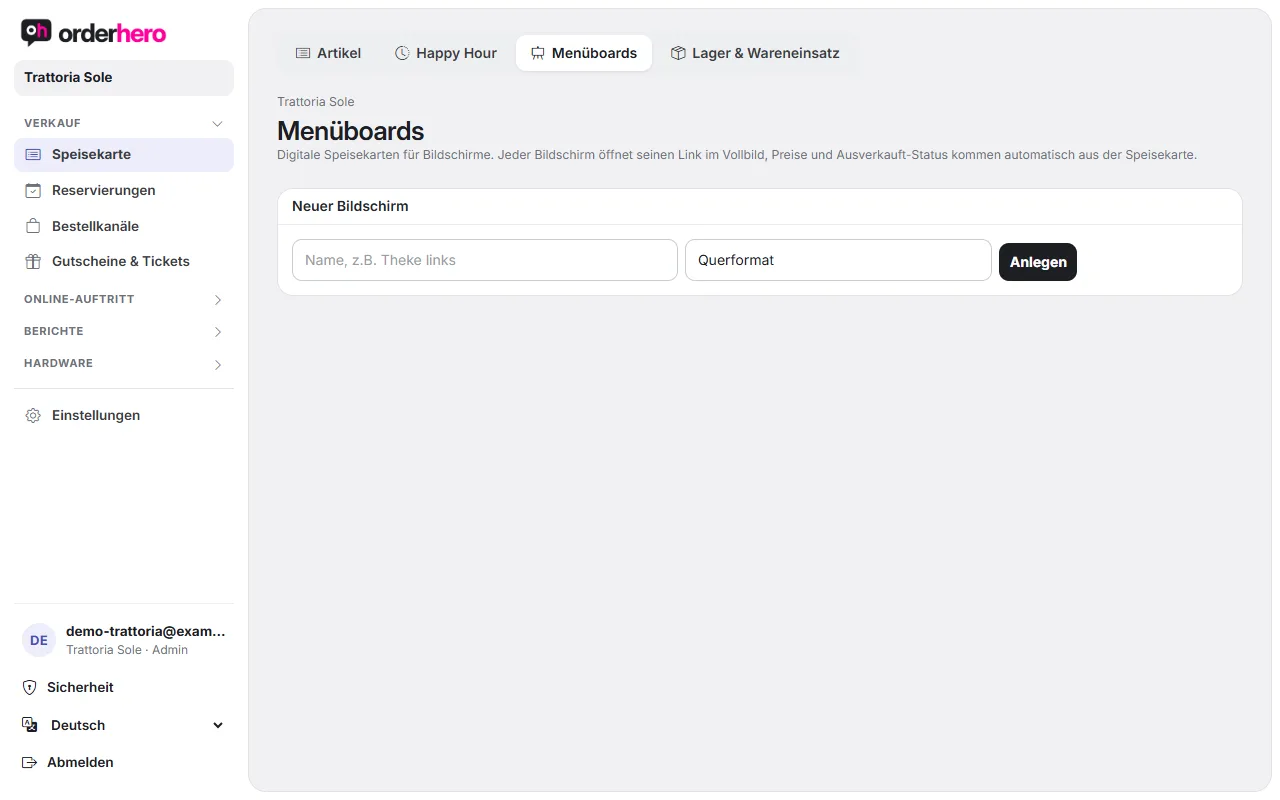
Create screen
- Öffne Speisekarte und wechsle auf den Reiter „Menüboards“.
- Tap “New screen”, enter a name and choose Landscape or Portrait.
- Tap “Create”.
Ist das Modul noch nicht gebucht, steht dort „Menüboard ist ein Zusatzmodul“. Mit „Zu Abo & Rechnungen“ buchst du es dazu.
The list shows for each screen whether it is currently running ("running now") or when it was last active.
Connect screen
Each screen opens its link in full screen. You'll find the link on the board under "Edit". Open it in the screen's browser, for example on a smart TV, Fire TV or mini PC. The screen updates itself when you change something.
Choose content
Im Bereich „Inhalt“ wählst du Kategorien und Artikel für das Board.
- Use “Add category” to add a category. For each category, you set the heading, display, width, position and “Show images”.
- Sind alle Artikel einer Kategorie angehakt, kommen neue Artikel automatisch dazu.
- You set “Show descriptions” and “Hide sold out” per board.
Layout and design
- Automatisch: orderhero baut das Layout aus deinem Inhalt.
- Frei: Du ziehst Elemente selbst. Die Ecken ändern die Größe, Pfeiltasten schieben fein, Entf löscht, Strg+D dupliziert. Wer etwas verschiebt, wechselt auf freie Anordnung. „Automatisch anordnen“ setzt das Layout zurück.
- Add lets you insert an item, heading, text, logo, video or animation.
- Eine Vorlage setzt Farben, Schriften, Hintergrund und Animation. Logo und Hintergrundbild bleiben erhalten. Danach passt du das Design im Reiter „Design“ an.
- Use "Full screen" to check the result and "Save" to keep it.
Page switching and schedule
Under “Page rotation & schedule”, a screen shows several boards in turn. With days and times, you show boards only at certain times, for example breakfast until 11:00 and lunch after that. No days means every day, no time means all day.
Order status display
For pickup, under Hardware → Screens you'll also find the types "Order status display" and "Menu screen".