
With the website builder you get a restaurant website with menu, opening hours, reservations and shop, always up to date from orderhero. The website is a module.
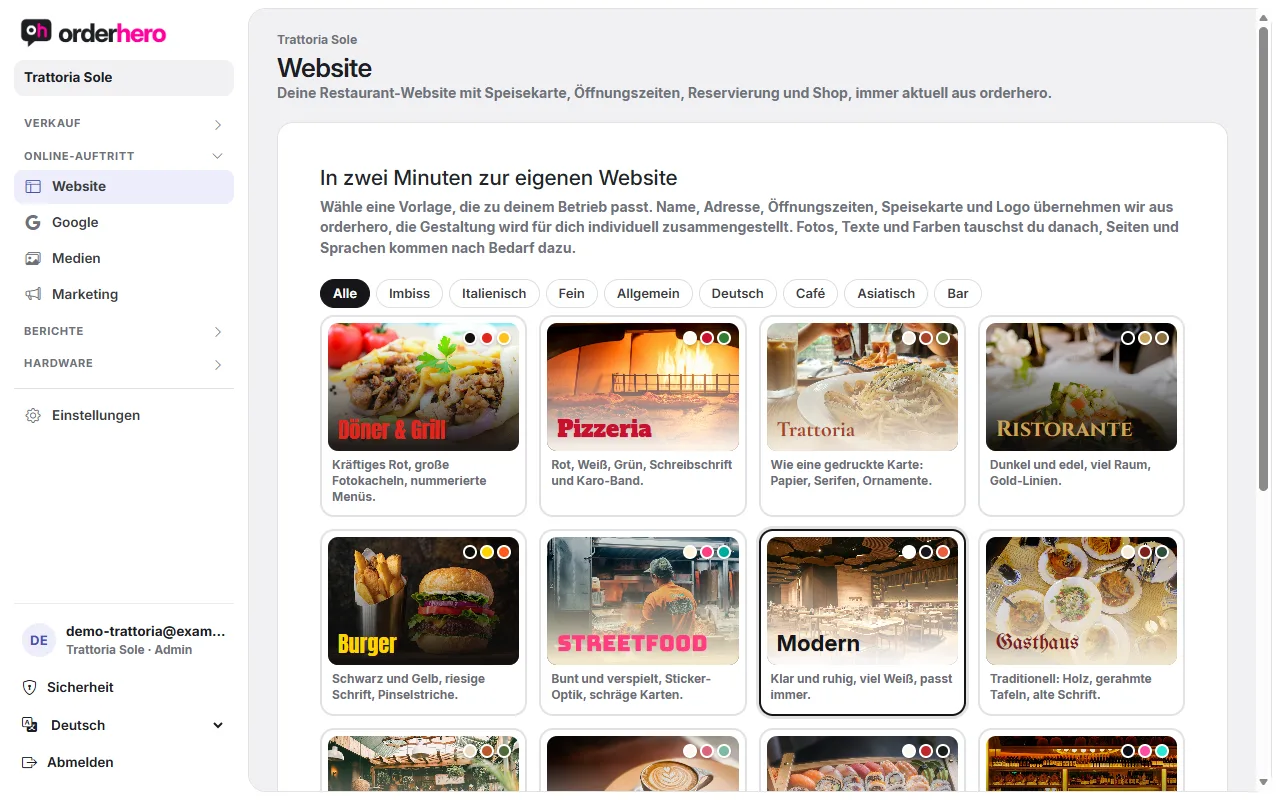
Open it under Online presence → Website.
Create website
- Choose one of the 15 templates that suits your business.
- Tap “Create website”.
orderhero takes over your name, address, opening hours, menu and logo. The design is put together individually for you. The website is multilingual and optimized for mobile. It's only published when you say so. Until then it shows “Draft”.
Publish
At the top of the page is the “Publish” button. With “Take offline” you pull the website back. On the right you see a preview for desktop and mobile. The preview shows changes immediately; on the website they appear after saving.
Tab
- Design: Choose a template, “Shuffle” (tries a different combination of the same template), accent color, font, light or dark, buttons at the top right (two at most), logo, hero image, slider images (up to 8), background video (MP4, 10 to 30 seconds), and social media. When you switch templates, the design is reassembled. For the logo, a PNG with a transparent background works best. The hero image should be landscape, at least 1920 px wide.
- Pages: Use “New page” to create pages, for example text with image, menu, gallery, events, contact with form or Parties & groups (inquiry). You can add sections, rename or hide menu items, or add custom links. You translate text per page, or use “Translate with AI” if you like. Legal notice and privacy policy are generated automatically from your details (Online shop → Legal notice).
- Popup & notice: A popup for a promotion (for example lunch special, brunch, New Year's Eve) appears after a few seconds, once per visit. The notice bar is a single line at the very top, for example “On 24.12. open until 2 pm only”. You can limit both by time (From, To).
- Anfragen: Hier landen Nachrichten aus dem Kontaktformular. Neue Anfragen kommen auch per E-Mail. Den Abschnitt „Kontaktformular“ fügst du unter Seiten hinzu.
- Statistics: Visitors to your website, counted without cookies and without IP addresses, only totals per day. That's why you don't need consent in the cookie notice for this. Search engine bots and your own preview are not counted.
- Languages & search engines: Choose the main language and additional languages. The menu appears in the languages you maintain under Menu → Translations. For Google, you can enter a description per language. If left empty, it's generated automatically from the name, location, and shop description.
- Domain: See "Connect your own domain to the website".
Motion on scroll
Under Design, you choose how lively the website feels:
- Subtle: Content fades in softly as you scroll. This is the default.
- Lively: Photos also move with depth (parallax) and zoom slightly.
- Aus: Keine Bewegung. Besucher, die in ihrem Gerät „Bewegung reduzieren“ eingestellt haben, sehen ohnehin keine Effekte.
Building blocks for more images
Under Pages you add sections to each page, including the home page. Besides text, menu, gallery and contact form, there are:
- Großes Foto: ein Foto über die ganze Breite, auf Wunsch mit Überschrift.
- Photo collage with text: three staggered photos next to a text, for example kitchen, team and rooms.
- Laufschrift: ein Band mit Stichworten, das langsam durchläuft, zum Beispiel „Hausgemacht · Regional · Seit 1998“.
Every template comes with matching sample photos. Replace them with your own photos over time, that works best.
Address
Deine Website ist immer erreichbar unter sites.orderhero.net/ plus deinem Kürzel, sobald sie veröffentlicht ist. Die genaue Adresse steht im Reiter „Domain“.
Media
Alle Fotos und Videos verwaltest du unter Online-Auftritt → Medien. Was du dort oder irgendwo sonst hochlädst, steht überall zur Auswahl: Speisekarte, Website, Marketing und Menüboards.